
HOW MWENJE WORKS
Set up your screens in four steps
Use a screen you already have, create content, set a schedule and review what played.
-
Pair a screen
Install the player on Android, iOS, Windows, macOS or Linux. The player shows a six-character code that you enter in the console. Credentials stay server-side, hashed and revocable.
Pairing codeM W 4 K 7 A
Waiting to be paired -
Create content
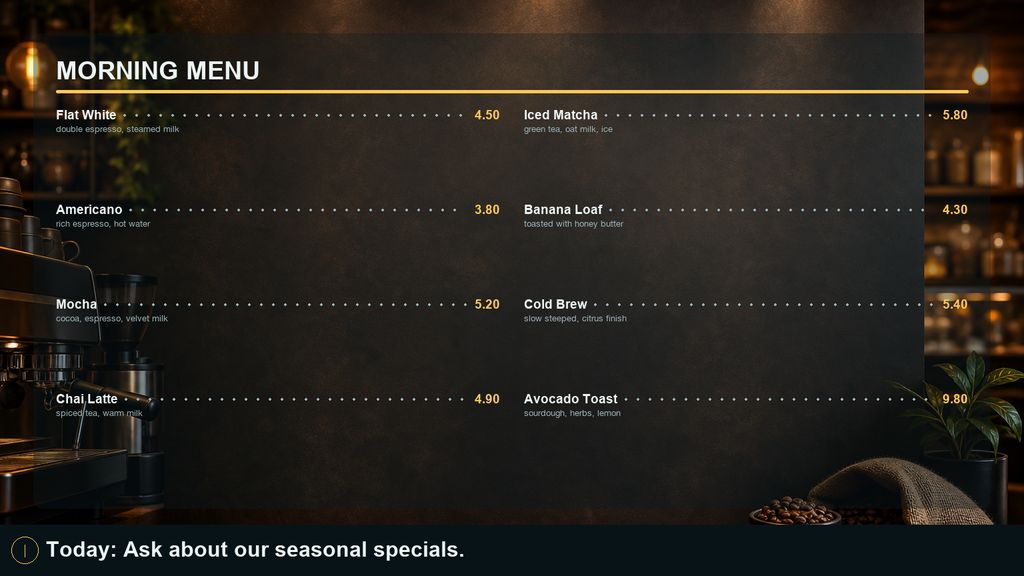
Start from one of 52 presets or a blank canvas. The editor shows live clock, news, calendar and notice widgets with real data while you design, and the same layouts are editable from a phone with Mwenje Studio.
-
Set a schedule
Describe the airtime in a sentence and review the proposed schedule, or shape it by hand: dayparts on a 24-hour timeline, a week calendar, layers for always-on content, overlays and full takeovers. Each screen resolves its schedule in its own timezone, even offline.
Describe the airtimeEvery 20 minutes for 5 minutes from 8am to 8pm on weekdays.
Weekday window Always-on · 3 plays/hour · 5 min each
-
Review playback
The screen wall shows what's on air right now and why. Analytics compare what you planned against what actually played, screen by screen, hour by hour.
On air now 12 screensPlays today 1,480Planned vs actual 98%Illustrative figures.

SIGNING IN
Two step verification on your account
Switch it on and signing in asks for a second thing as well as your password: a passkey, or a code from your authenticator app. Ten single-use recovery codes come with it, for the morning the phone is at home.
A passkey uses the fingerprint, face or PIN your device already has. It is tied to this site, so unlike a code you can be talked into reading out, there is nothing to hand to a convincing copy of us.
It is per person, and each person decides whether to use it. Your screens sit outside it: a paired screen carries its own credential, hashed and revocable, and keeps playing to schedule whether or not anyone is signed in.